Recently I was given the task of printing address labels from a database using Avery 5160 labels. These labels are 3 columns of 10 rows. 2.625″ x 1″ (66.6mm x 25.4mm).
I was having trouble with carriage returns. First problem is that the ASP version of FPDF doesn’t seem to recognize the \n line feed. It was easy enough to replace it with Chr(10) but I suppose I had a misconception of how FPDF handles line feeds in that it used the entire height of the multicell height for every line of text.
At first I used this incorrect code to test (notice the carriage return has no effect):
<%@language=vbscript%>
<!--#include file="fpdf.asp"-->
<%
Dim i,pdf
Set pdf=CreateJsObject("FPDF")
     pdf.CreatePDF "P","cm","Letter"
     pdf.SetPath("fpdf/")
     pdf.SetTopMargin(1.27)
     pdf.SetLeftMargin(.42)
     pdf.SetRightMargin(.42)
     pdf.Open()
     pdf.AddPage()
     pdf.SetFont "Times","",9
for i=0 to 40
          labelText = "Client #" & i & Chr(13) & "<--carriage return there address" & Chr(10) & "City, State  Zip "
     pdf.MultiCell 6.66,2.54,labelText,1,L
Next
     pdf.Close()
     pdf.Output()
Set pdf = Nothing
%>
with the results shown below:
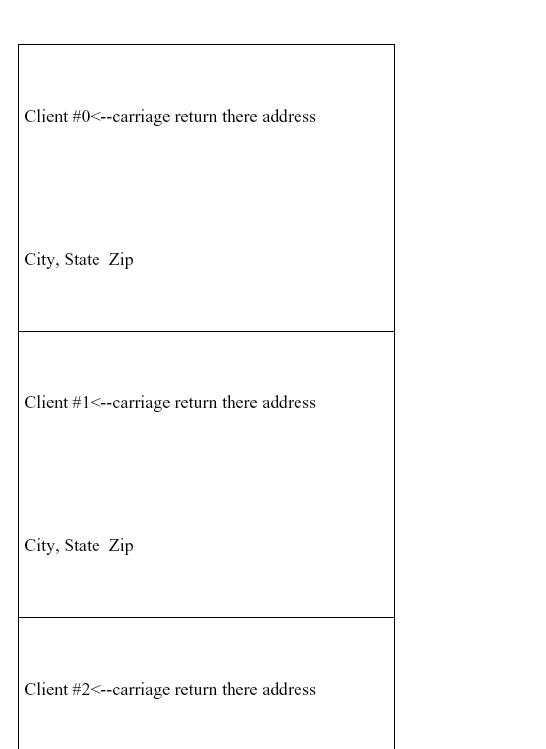
Then after googling a bit I found a php version of a script for creating a PDF for Avery 5160 labels and ported it to ASP:
<%@language=vbscript%>
<!--#include file="fpdf.asp"-->
<%
Set pdf = CreateJsObject("FPDF")
	pdf.CreatePDF "P","mm","Letter"
	pdf.Open()
	pdf.AddPage()
	pdf.SetFont "Arial","B",10
	pdf.SetMargins 0,0
	pdf.SetAutoPageBreak(0)
x = 0
y = 0
' instead of for next call names and addresses from database
for a = 1 to 40
	' Make label text
	LabelText = "Contact Name" & a & chr(10) & "Entire Company Name" & a & chr(10) & "1313 Mockingbird Lane" & chr(10) & "Chicago, IL  60617"
	LeftMargin = 4.2
	TopMargin = 12.7
	LabelWidth = 66.6
	LabelHeight = 25.45
	' Create Co-Ords of Upper left of the Label
	AbsX = LeftMargin + ((LabelWidth + 4.22) * x)
	AbsY = TopMargin + (LabelHeight * y)
	pdf.SetXY AbsX+3,AbsY+3
	pdf.MultiCell LabelWidth-8,4.5,LabelText,0,L
	y=y+1
	if (y=10) then
		x=x+1
		y = 0
		if (x = 3) then
			x = 0
			y = 0
			pdf.AddPage()
		end if
	end if
next
	pdf.Output()
Set pdf = Nothing
%>
Just change the for-next loop to a database call and you’re in business.
I find FPDF extremely useful and am sure to use it in the future.